Objectives
Fix objectives before they fail
People check in with how confident they feel and what's in their way. You see which objectives are at risk while there's still time to help, not after the deadline has passed.
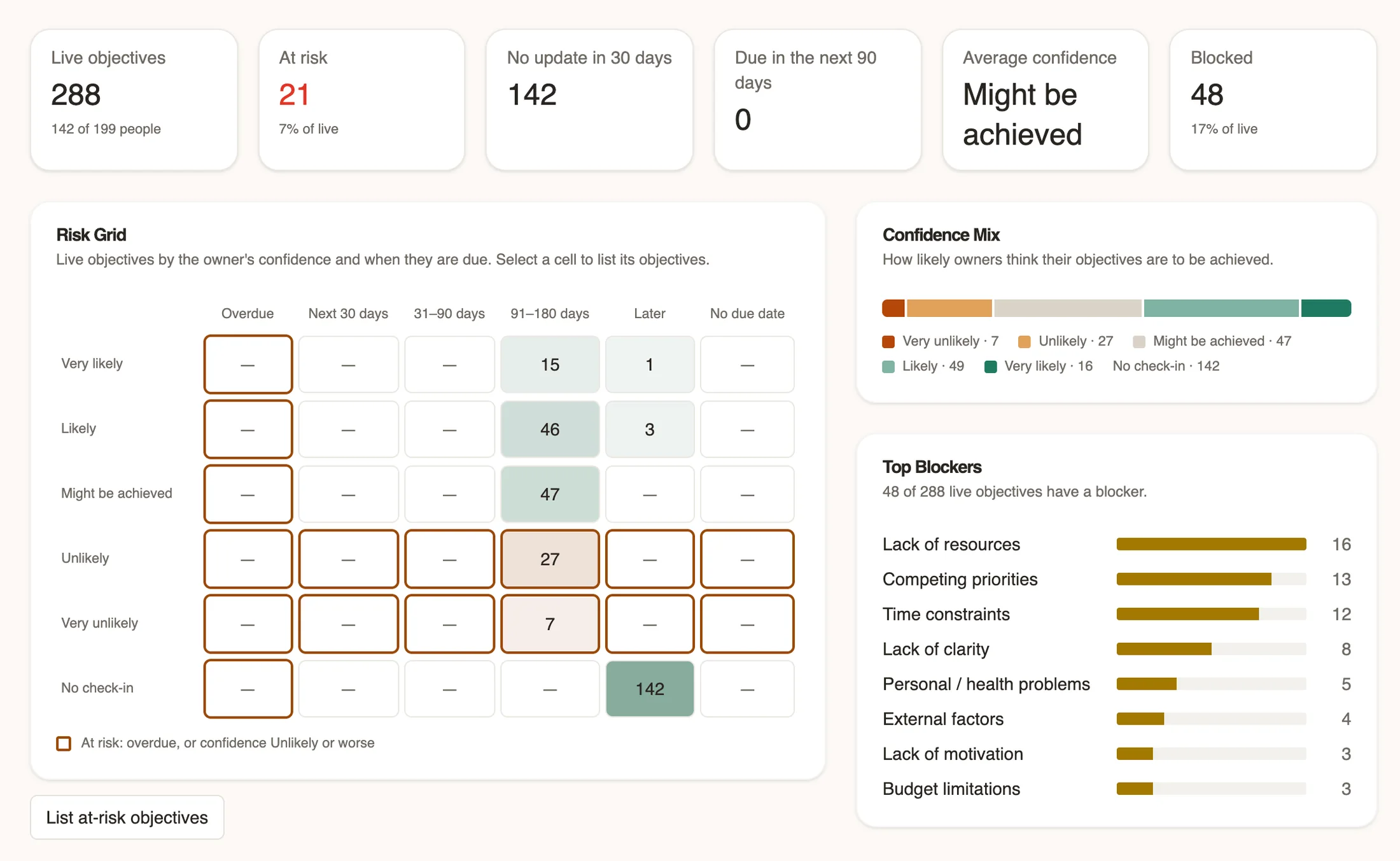
Don't find out at the deadline
Most objective tracking tells you an objective failed once it's too late to do anything about it. Useful asks people how confident they are and what's blocking them at every check-in, so you can step in early and help it land.
Set and review objectives together
Objectives are collaboratively updated, so managers and employees can work on them together. Each can see the other's updates as they're made. Comments can stay as drafts until they're ready to share, and management can make private comments if needed.
See the risks while there's time to act
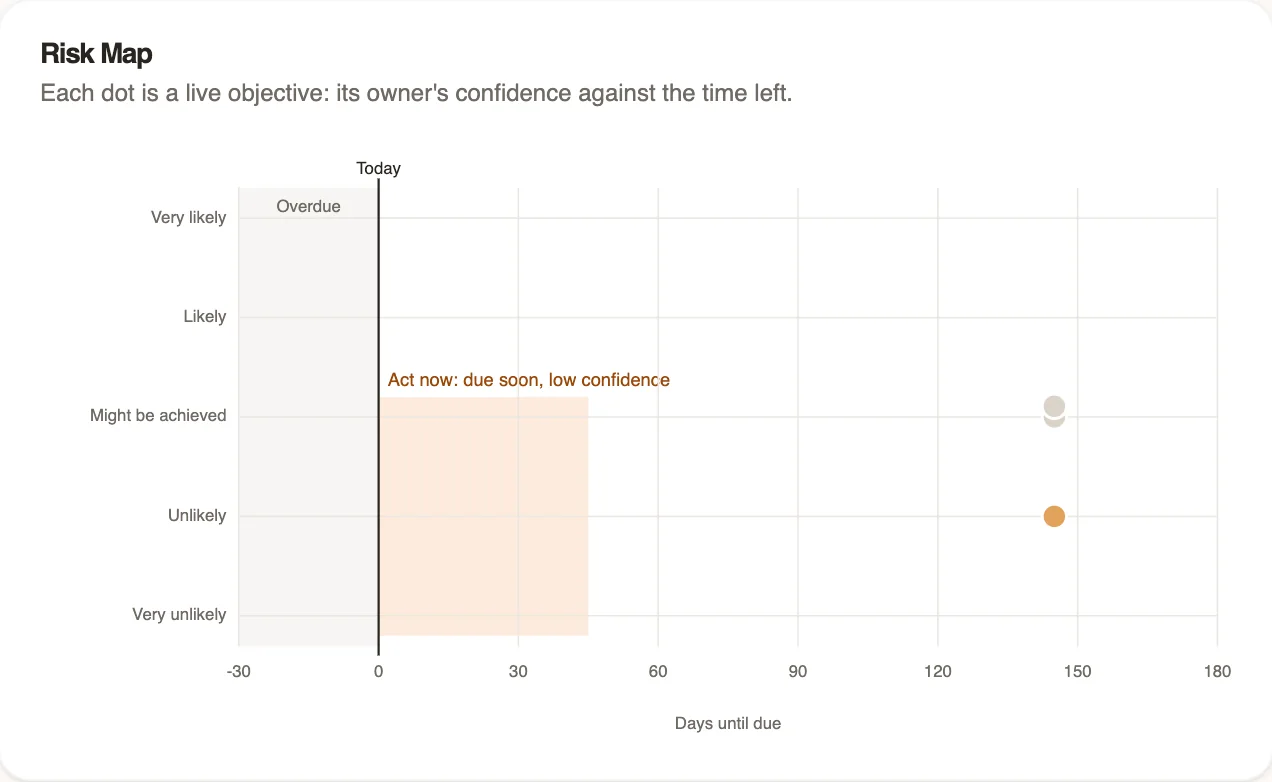
Every live objective is plotted by its owner's confidence against the time left. Objectives due soon with low confidence stand out, so you know where to step in first.
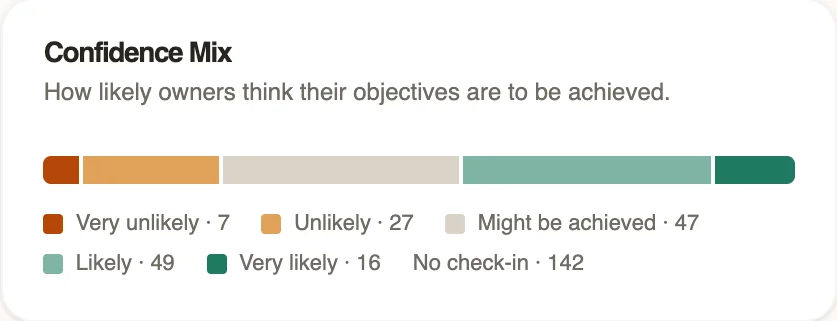
Know what's getting in the way
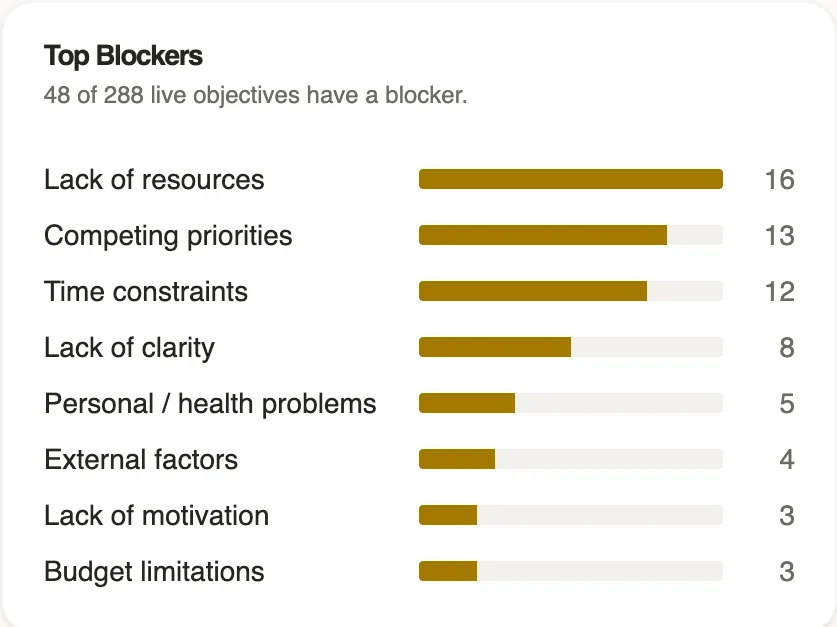
People choose blockers from your own list at every check-in. See the top blockers for any team, and which branches have objectives at risk, so you fix the cause, not just the symptom.
Connect results to your talent reviews
Objective success can be used as a metric for your talent intelligence, and plotted into any talent visualisation. For example, you could plot it against behaviours on a 9-box to see the relationship between actions and outcomes.
Close the year with a review
Review objectives mid-year or at year end. A mid-year review records progress and keeps objectives open. A final review records each result as achieved, partly achieved, not achieved or no longer applicable, applies a bonus outcome if you use one, and locks the objective. Bonus details can be hidden from employees.
Cascade to teams
Cascade big goals so everyone understands how they can contribute to them, then effortlessly track how those individual goals are progressing.
Rules that fit your process
Set clear boundaries for how many objectives people hold, and allow, require or block check-ins and reviews however frequently you want.
Identify problems early
Check-ins gather confidence and potential blockers so you can see the exact issues that are standing in the way of success.
What you can do
Every feature can be switched on or off, so you only use what you need.
- Set minimum, maximum and recommended numbers of objectives
- Allow, require or block check-ins and results in each review
- Plot every live objective by confidence and time left
- Compare departments and objective owners
- Connect results to bonus decisions
- Cascade to a team or a whole branch, and see how far each objective has reached
- See objectives with no update in 30 days
- See the blockers behind objectives that failed, not just the ones at risk
- Ask your own questions alongside objectives in a review
- Add named reviewers, such as a second manager, to help review objectives
- Use confidence, success rate and live objective count on talent maps and in tables
Works with the rest of Useful
Questions
Is this OKR software?
The Objectives module in Useful is unopinionated, meaning you have the freedom to structure objectives however you please. This includes following OKR or SMART guidance, or being less rigid if that's what you prefer.
When are objectives set?
Whenever you choose. You can schedule reviews for any cohort you choose, however frequently you choose.
Who can see objectives?
Employee objectives are shared with their management line and workspace admins.
Can employees see bonus details?
Only if you choose. Bonus weighting and outcomes can be hidden from employees.
What happens to finished objectives?
They lock when the review that closes them ends, and stay in each person's history.
Spot the risks while there's still time
Tell us what you need, and we'll show you how Useful can do it.